Finding the Best AI Model for Image-to-3D in OpenSCAD
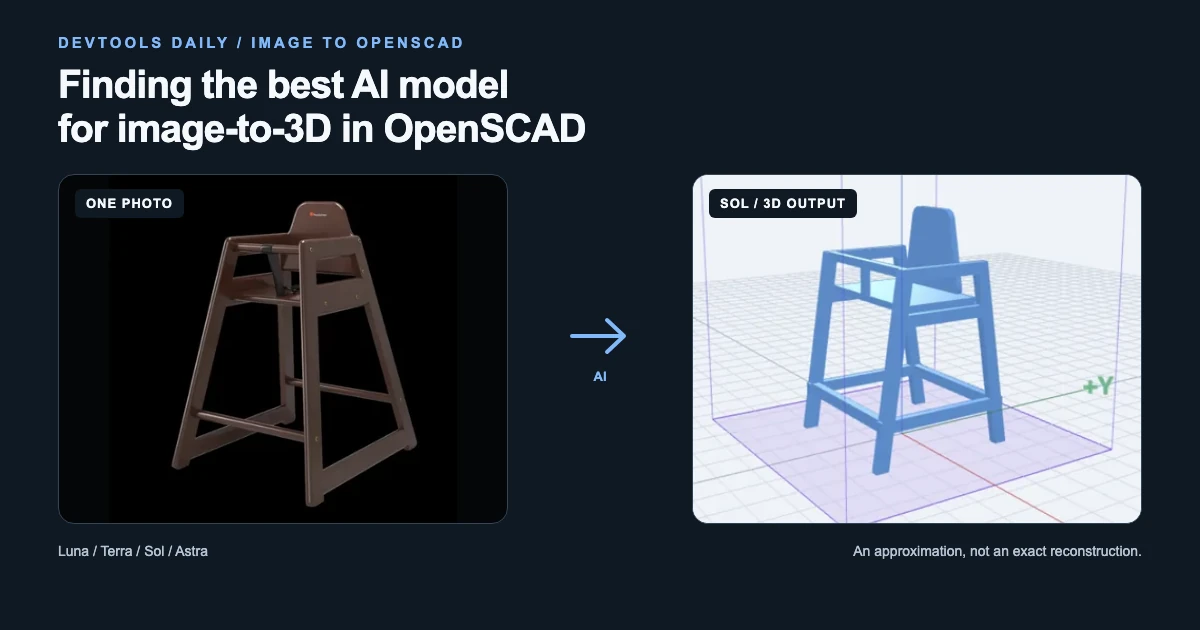
Our OpenSCAD playground has an AI assistant. You can describe a part, ask for a change, or give it a photo and get editable OpenSCAD code back. That leaves us with a practical question: which model should handle which job?
For the past month, we have offered Luna for free because it costs so little to run. We wanted to see whether paying more would get us better results, so we spent a session comparing models on one task: turning a single photo into a 3D model.
None of the models we tested faithfully reproduced the object in the image. In our original comparison, Sol gave us the most useful starting point.
Update (November 13, 2026): While we were writing this post, Gemini Hydrogen arrived. A follow-up comparison changed our choice for Pro AI. We have kept the original results below and added the new comparison before the conclusion.
First, we built a small lab
Trying models one at a time in the assistant made comparisons awkward. We built an internal OpenSCAD Lab: upload an image, select models, run them, and review the results side by side.
The lab keeps the inputs, generated code, estimated cost, elapsed time, and any compile-and-repair calls. We can reuse an input, adjust the prompt, and rate the result.
Compilation is the easy check to automate. The harder questions need a person: does this resemble the photo? Do the beams actually meet the legs? Has the model quietly turned an assembled object into a kit of separate parts?
An OK badge means the code compiled and produced geometry. It does not mean the result is accurate, connected, or ready to print.
Luna: cheap, but the prompt has to do more work
Our running example was a photo of a wooden high chair, modeled as a miniature.
Without extra instructions, Luna put parts in the air. We made the request more explicit:
Make sure there are no parts hanging in the air. This is a miniature chair. Do not try to disassemble it. Make sure it prints in one piece as you see.
That improved the apparent connectivity. It did not fix the resemblance: the result was recognizably a chair, but the proportions and frame were a long way from the reference.
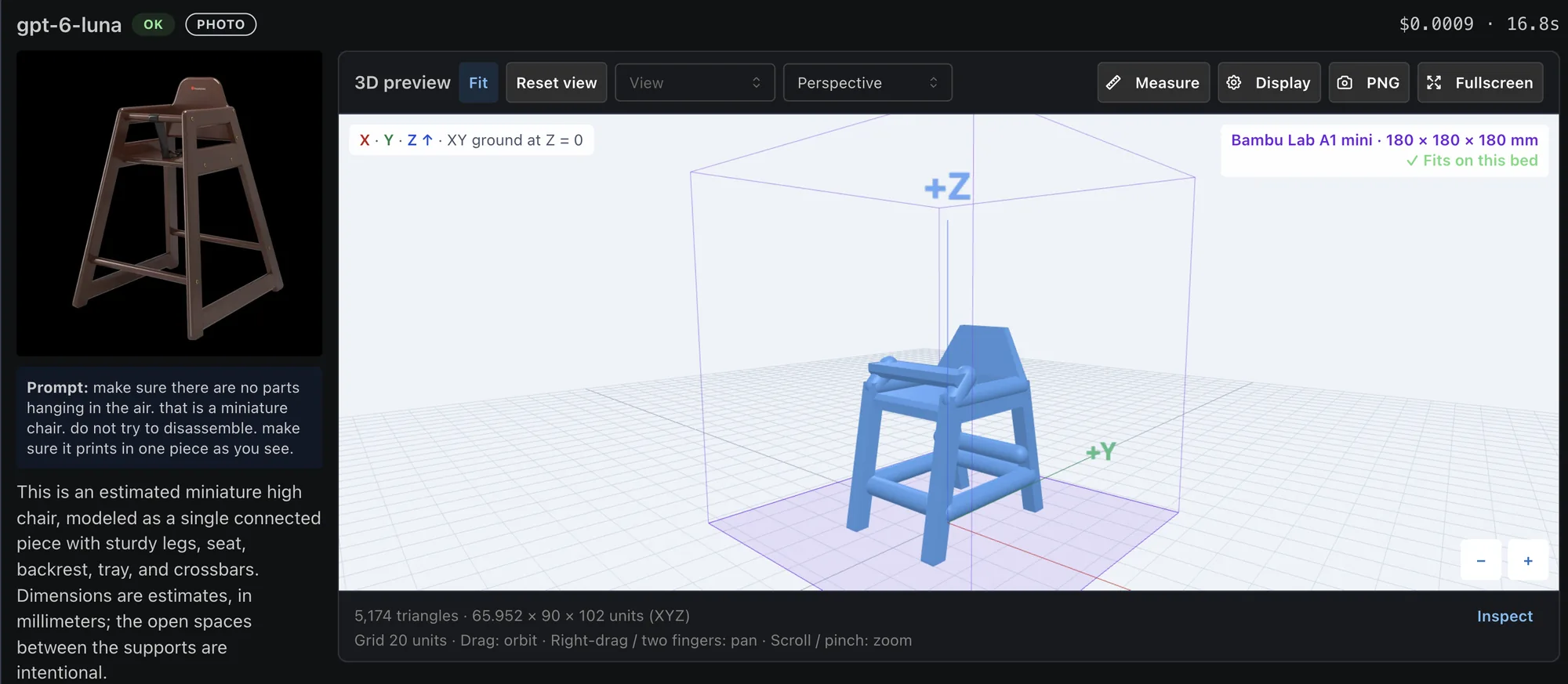
Luna after the extra prompting. This attempt cost an estimated $0.0009 and took 16.8 seconds.
Terra: a big improvement, with an instruction trap
Terra produced a much more convincing chair. The frame and overall shape were substantially better than Luna's.
We tried a few prompt variations. One result laid the pieces flat for later assembly. That is a reasonable interpretation of "easy to print," but not what we wanted: an assembled miniature matching the photo.
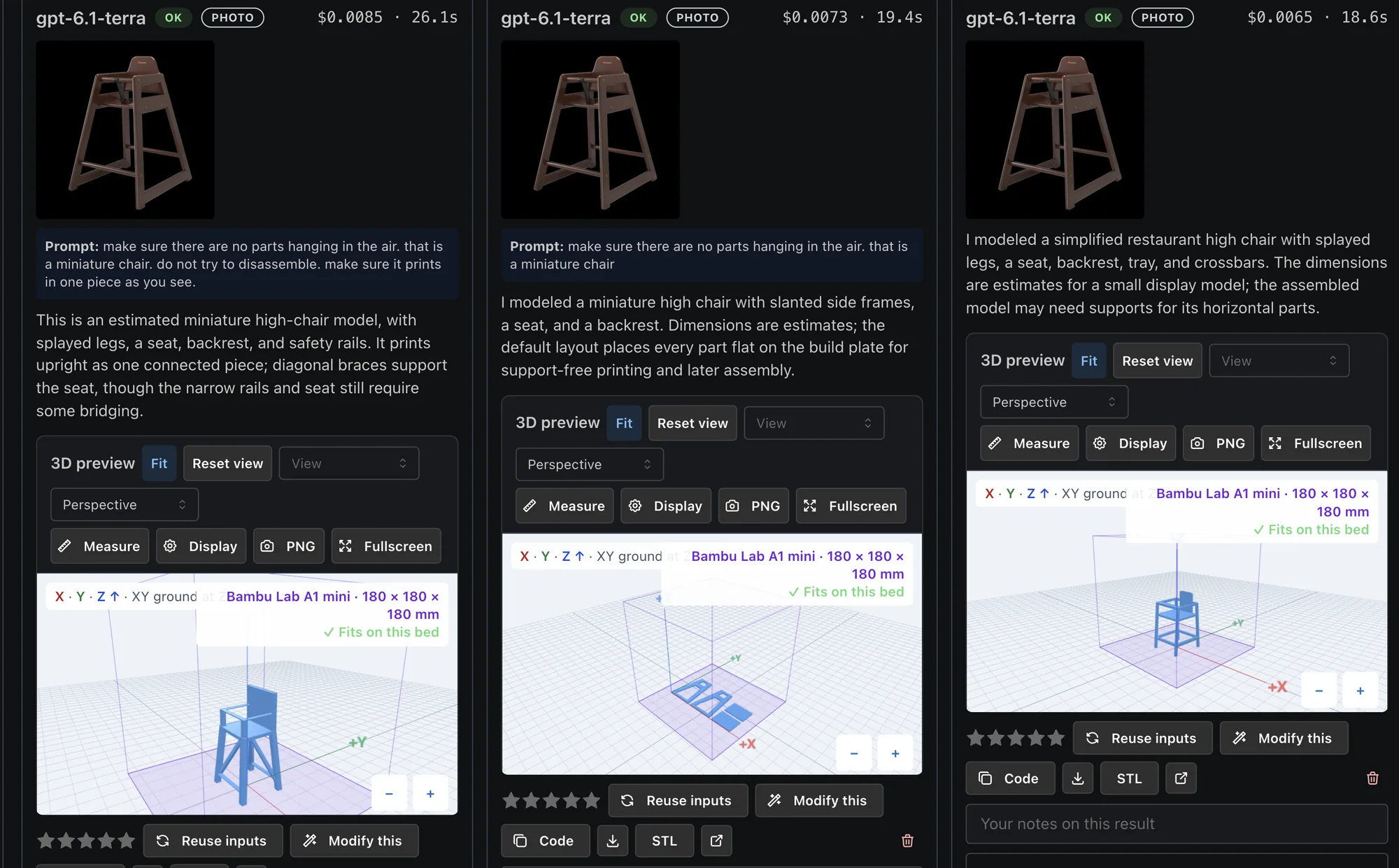
Terra with different instructions. The middle result solves a different problem: printable separate parts rather than the assembled miniature. Open any screenshot to inspect it at full size.
All three attempts compiled, including the flat-pack version we did not want.
Sol: the extra cost bought better structure
Sol was the first model whose result felt usable as a starting point. Look at how the horizontal beams connect to the sloping frames. It followed the visible structure more convincingly than Terra.
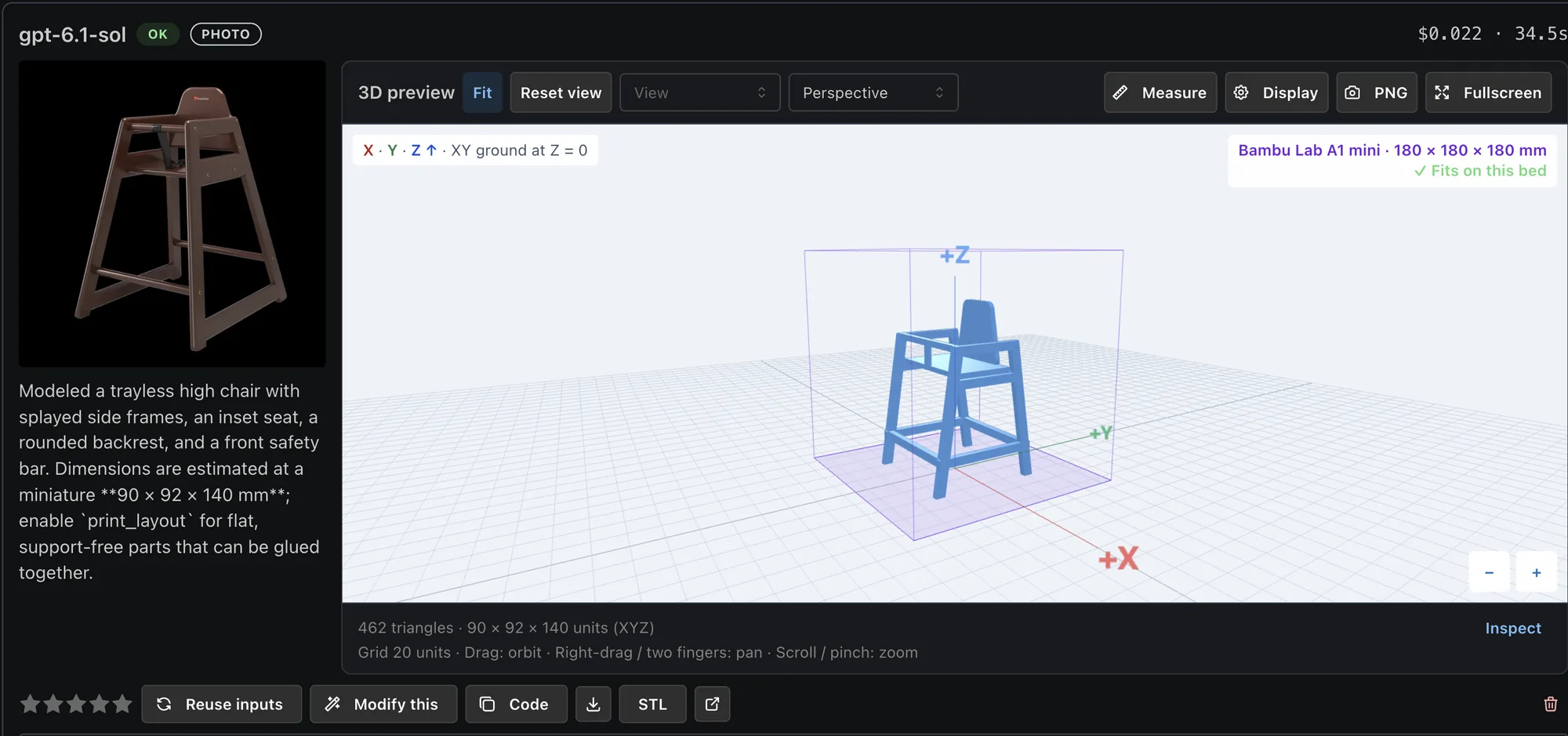
Sol's result. The horizontal beams meet the sloping side frames.
It still missed details and proportions, so we would need to edit it.
We also tried coat hangers and chess pieces. In those tests, Sol consistently gave us something we considered a reasonable stand-in for the reference.
Astra: more money did not buy a better match
Astra was more expensive and, in the recorded comparison below, slightly slower than Sol. We did not see a corresponding quality improvement. Across the images we tried, we judged its results closer to Terra's than Sol's.
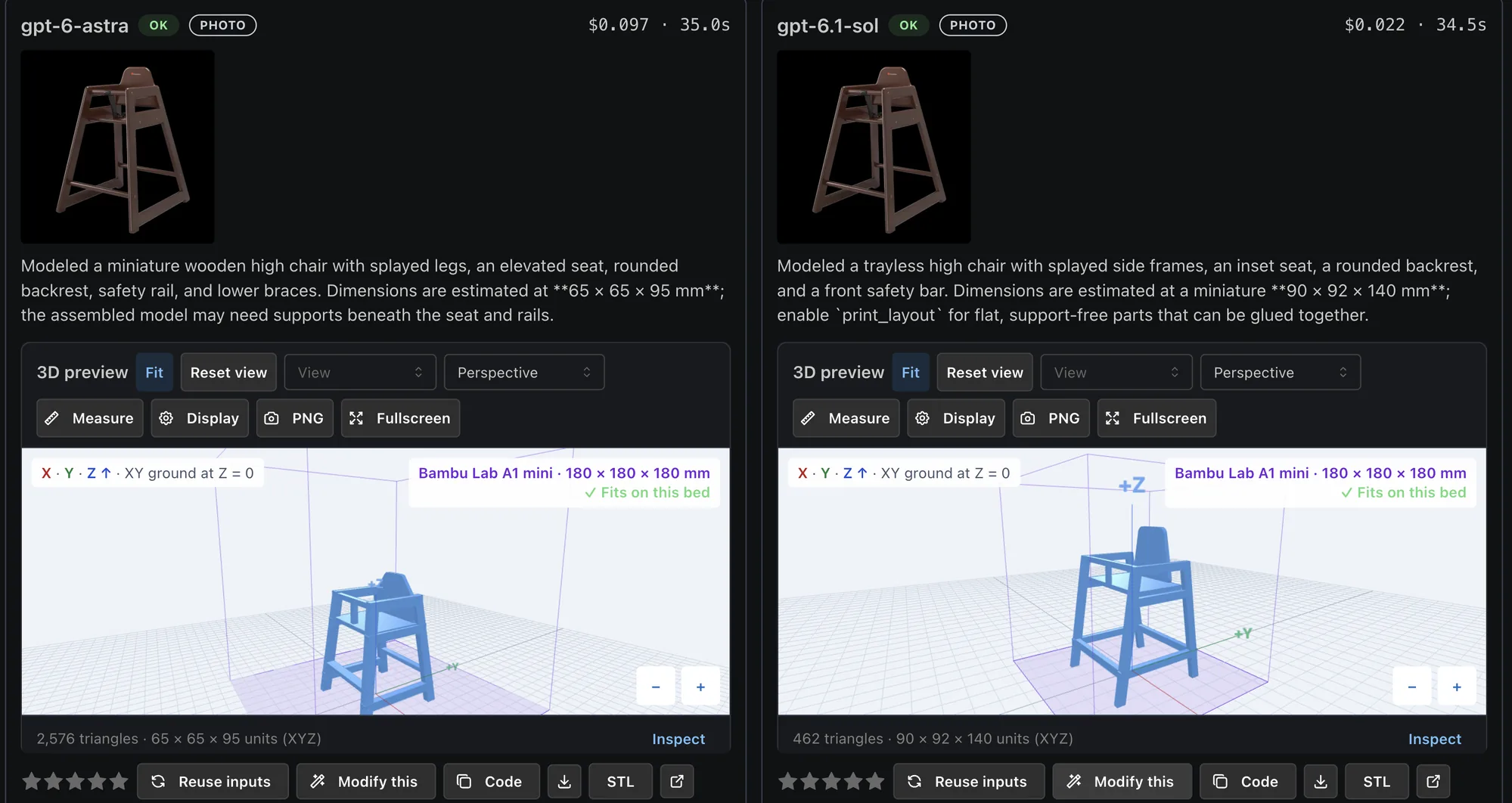
Astra versus Sol. For this task, the more expensive model was not our preferred result.
What those attempts cost
Here is one recorded set from the lab history:
| Model | Estimated attempt cost (USD) | Elapsed time | Our takeaway from the session |
|---|---|---|---|
Luna (gpt-6-luna) | $0.0007 | 18.6 s | Cheapest, but weak resemblance and needed explicit connectivity instructions |
Terra (gpt-6.1-terra) | $0.0065 | 18.6 s | Much better approximation; promising lower-cost option |
Sol (gpt-6.1-sol) | $0.022 | 34.5 s | Our preferred balance of structural quality and cost |
Astra (gpt-6-astra) | $0.097 | 35.0 s | Higher cost without better results in our tests |
In this set, Terra cost about 9 times Luna, Sol about 3.4 times Terra, and Astra about 4.4 times Sol.
These are individual attempts, not benchmark averages or API price ratios. The screenshots above include other attempts with different prompts and costs. The lab's elapsed time includes generation and compilation, plus repair calls when needed; it is not pure model latency.
This was an exploratory session with prompt variations and human visual judgments, not a controlled evaluation. A single view leaves hidden geometry and dimensions uncertain. We did not establish exact reconstruction or verify physical printability. The chair here is a miniature modeling example, not a design for a functional child's chair.
Update, November 13: Hydrogen changed our choice
While we were writing, Google's new Gemini Hydrogen model (gemini-4-hydrogen) became available, so we added it to the lab and tried the same high-chair photo.
Hydrogen produced a very similar result to Sol, with slightly better geometry in our judgment. It also finished much sooner, at about the same cost.
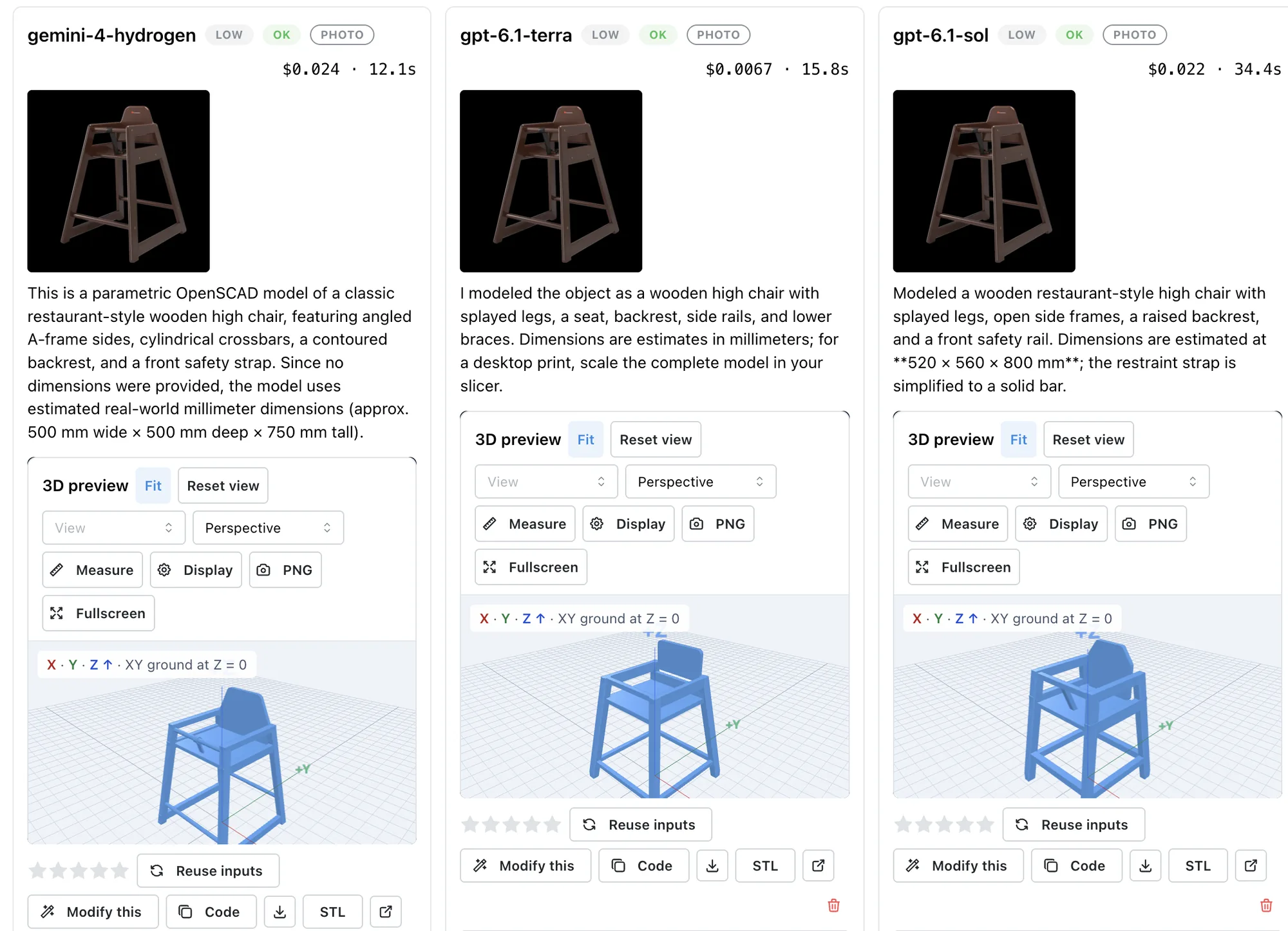
The follow-up comparison. All three runs requested low reasoning effort.
| Model | Estimated attempt cost (USD) | Elapsed time |
|---|---|---|
Gemini Hydrogen (gemini-4-hydrogen) | $0.024 | 12.1 s |
Terra (gpt-6.1-terra) | $0.0067 | 15.8 s |
Sol (gpt-6.1-sol) | $0.022 | 34.4 s |
In this comparison, Hydrogen finished in about one-third of Sol's time, at roughly the same cost. Terra remained much cheaper and was only 3.7 seconds slower than Hydrogen.
The slightly better geometry and shorter wait made Hydrogen our choice for Pro AI. Earlier Hydrogen attempts had timed out, though, so we need more runs to know how consistently it delivers that speed.
What we are changing
Free Luna made sense on cost. After seeing these results, we do not think it is worth keeping as the free image-to-3D experience just because it is cheap.
Our initial plan was to offer a limited free allowance of Terra, some Sol usage for signed-in members, and much higher Sol limits for Premium users.
We have now switched Pro AI from Sol to Gemini Hydrogen. Terra remains the limited free Advanced AI option; signed-in members get a small Pro AI allowance, and Premium users get much higher Pro AI limits. The provider switch does not change those allowances.
The website uses Advanced AI and Pro AI labels so we can switch models without renaming the tiers.
You can try the workflow in image-to-OpenSCAD and keep editing in the OpenSCAD playground.